Computer Basics 101 with Brittany Ann Mickens | TGD
Computer basics are the essential skills that let you turn a device on and off, use files and folders, browse the web, send email, and stay safe online. They are the foundation of everyday digital confidence.
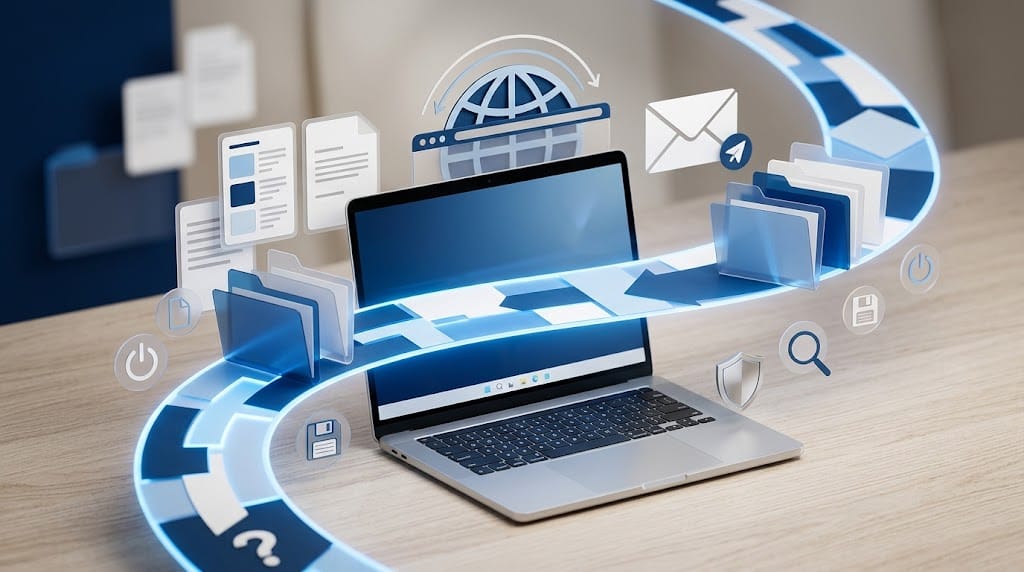
Computer basics are the essential skills that let you turn a device on and off, use files and folders, browse the web, send email, and stay safe online. They are the foundation of everyday digital confidence.
Key Takeaways
- Computer basics start with device control, icons, windows, files, and folders.
- Safe browsing means checking sites, using search carefully, and avoiding risky downloads.
- According to the European Commission, 36% of European adults still lack basic digital skills.
- According to the World Economic Forum, 39% of key skills are expected to change by 2030, and technological literacy is a core skill for 51% of employers.
- Basics 101 is a beginner-friendly TGD course that uses hands-on practice to build confidence with files, folders, and internet use.
Table of Contents
- Understanding Computer Basics
- Key Concepts and Techniques
- Who Benefits from Learning Computer Basics?
- What Do Students Say?
- Is This Course Worth It?
- About the Creator
- Essential Computer Skills at a Glance
- Watch Before You Enroll
- Frequently Asked Questions
- Conclusion
- Explore More on TGD
Understanding Computer Basics
Computer basics are the practical habits that make digital life manageable. They include turning a device on and off correctly, opening apps, recognizing icons, saving work, organizing folders, and using a browser with confidence. When those actions feel natural, everyday tasks become faster and less stressful. They also help you recover calmly when a window closes, a download looks unfamiliar, or a saved file goes missing.
According to the European Commission, 36% of European adults still lack basic digital skills, and 8% rarely or never use the internet. That gap shows why the topic remains important even in a connected world. The World Economic Forum's Future of Jobs Report 2025 says employers expect 39% of key skills to change by 2030, and technological literacy is already a core skill for 51% of employers.
For beginners, the payoff is immediate. Basic computer confidence reduces avoidable mistakes, helps people find information more quickly, and makes routine tasks such as email or online forms feel manageable instead of intimidating. It is a small skill set with outsized everyday value.
Want to Learn Computer Basics Step by Step?
This course on The Great Discovery covers these fundamentals in a structured, beginner-friendly format.
The Great Discovery (TGD) is a global online course marketplace where creators publish courses and learners discover practical training across business, technology, wellness, and personal growth. It helps people find structured learning from independent instructors.
Key Concepts and Techniques
The fastest way to learn computers is to treat them as a set of repeatable routines. Once those routines feel familiar, the device stops feeling mysterious and starts feeling useful.
Power, startup, and shutdown habits
Knowing how to turn a computer on, shut it down, and wake it correctly prevents data loss and reduces update problems. It also helps beginners tell the difference between a device issue, an app issue, and an internet issue.
Desktop, icons, and windows
The desktop is the starting surface, icons are shortcuts, and windows are the active spaces where work happens. A beginner who understands those three pieces can move around a computer without feeling lost.
Files, folders, and storage hygiene
Files store your work, while folders group related items so you can find them later. Clear names and a simple folder structure keep the desktop uncluttered and make backups easier.
Browsers, search, and safe navigation
A browser is the doorway to the web, and good search habits turn that doorway into a useful tool. Search with specific phrases, check URLs, and avoid clicking unfamiliar downloads without a reason.
Email and forms
Email and online forms are where basic computer skills become real-world action. Sending a message, attaching a file, or completing an application are simple tasks that carry a lot of practical value.
Who Benefits from Learning Computer Basics?
Computer basics help almost everyone, but they matter most when you are trying to stop guessing. This Basic-level course fits the Vocational & Tech, TGD Success, Self Improvement, and Professional Studies categories because the skill set supports daily life, work, and study.
Absolute beginners
If you are starting from zero, the goal is not speed. It is comfort with the screen, the mouse or trackpad, and the idea that files and folders can be controlled instead of feared. Basics 101 is a strong starting point on TGD because it uses clear, hands-on practice rather than jargon.
Job seekers and returning workers
Employers still expect people to handle email, simple documents, browsing, and online forms without help. The World Economic Forum says technological literacy is already a core skill for 51% of employers, so a course like this helps rebuild confidence before higher-level tools enter the picture.
Parents, older adults, and caregivers
Daily life now requires basic digital movement: checking school messages, completing forms, searching safely, and saving important files. A beginner-friendly path reduces frustration and makes those routine tasks feel less intimidating.
Small business owners and freelancers
Independent work depends on simple habits such as organizing invoices, storing documents, and finding information fast. If your digital workflow feels messy, a TGD course like this can be a sensible reset before you add more advanced tools.
What Do Students Say?
This course is new to the marketplace and hasn't collected reviews yet. Check back after launch for student feedback.
Is This Course Worth It?
Yes, if you need a clear starting point.
This course is best for absolute beginners, adults returning to computers after a long break, and anyone who wants hands-on practice with files, folders, browsing, and basic settings. The Basic skill level and the vocational, self-improvement, and professional categories all point to a foundation-first approach.
It is not for people who already handle file systems, web forms, and safe browsing comfortably, or for learners looking for advanced productivity, coding, or IT administration. If you want complexity right away, this will feel too introductory.
As a next step on TGD, it makes sense when you want confidence before complexity. The course is narrow in the right way, and its hands-on style fits learners who need repetition more than theory.
About the Creator
Courses created: 2
Total learners: 48
Average rating: 5.0
Brittany Ann Mickens's bio on TGD reads, 'Standout and close Clients!' Visit her creator page.
Essential Computer Skills at a Glance
This table turns common computer habits into a quick reference. It shows what each skill does, why it matters, and where beginners usually use it.
| Skill | What It Means | Why It Matters |
|---|---|---|
| Power on and shutdown | Starting and closing a device the right way | Prevents data loss and keeps updates orderly |
| Desktop navigation | Using icons, windows, and menus to move around | Helps you open programs and switch tasks quickly |
| Files and folders | Saving documents in organized locations | Makes work easier to find, share, and back up |
| Web search | Using a browser and search terms to find information | Saves time and improves the quality of results |
| Safe browsing | Checking sites, links, and downloads before clicking | Reduces scams, malware, and accidental mistakes |
| Email and forms | Sending messages and completing online tasks | Supports work, school, and everyday administration |
These are the same fundamentals beginners use every day, which is why they matter more than flashy features. A structured course can turn them into habits instead of one-off guesses.
Master Computer Basics with Expert Guidance
Brittany Ann Mickens's course covers these core skills with hands-on lessons that are easy to follow and easy to repeat. It is a logical next step if you want structure after learning the fundamentals.
Enroll in Basics 101: Your Fast-Track to Computer Confidence →
Watch Before You Enroll
Learn how to become an affiliate on The Great Discovery — the best affiliate program for course creators and marketers in 2026. Start earning commissions by sharing courses you believe in.
Frequently Asked Questions
What are computer basics?
Computer basics are the everyday skills that let you use a device without guesswork. They include powering on safely, moving around the screen, handling files, opening a browser, and staying alert online.
What should a beginner learn first on a computer?
Start with the power button, mouse or trackpad, keyboard, windows, and the difference between files and folders. Those first habits create a stable base for everything else, from browsing to email.
How do files and folders help with organization?
Files store your work, while folders group related items so you can find them later. Clear names and a simple folder structure reduce clutter, save time, and prevent accidental overwrites.
Why is safe browsing important?
Safe browsing helps you avoid scams, risky downloads, and fake forms. According to the European Commission, 36% of European adults still lack basic digital skills, which shows why this kind of guidance remains important.
Why do computer basics matter for jobs?
They matter because employers increasingly expect technological literacy. The World Economic Forum says 39% of key skills will change by 2030, and 51% of employers already treat technological literacy as a core skill.
Is Basics 101 good for absolute beginners?
Yes. It is a Basic-level course focused on computer navigation, file management, and safe internet browsing, so it fits people who want a hands-on starting point on TGD.
Ready to Go Deeper?
You've learned the fundamentals of computer basics. This course takes you from understanding to practical application with a step-by-step path.
Start Learning Computer Basics on TGD →
Conclusion
You now know that computer basics are not about mastering everything at once. They are about learning a small, repeatable set of habits: power control, file organization, browser use, email, and safe online behavior. According to the European Commission, 36% of European adults still lack basic digital skills, and the World Economic Forum says 39% of key skills will change by 2030, so the foundation still matters. If you want a guided next step, Basics 101: Your Fast-Track to Computer Confidence is a practical place to start.
Explore More on TGD
If you want to keep learning on TGD, start with the closest category pages and the creator profile behind this course.
- Vocational & Tech courses
- Self Improvement courses
- Professional Studies courses
- The Great Discovery homepage
- Brittany Ann Mickens creator page
Share Your Knowledge on The Great Discovery
Join Brittany Ann Mickens and hundreds of other creators sharing their expertise. Create and sell your own courses on TGD.