
Master AI Video Creation with Joy Nichole | TGD
AI video creation is the process of turning prompts, scripts, voice ideas, and visual references into short videos with generative tools. It matters because creators can now produce, revise, and distribute content faster without building a full production team.
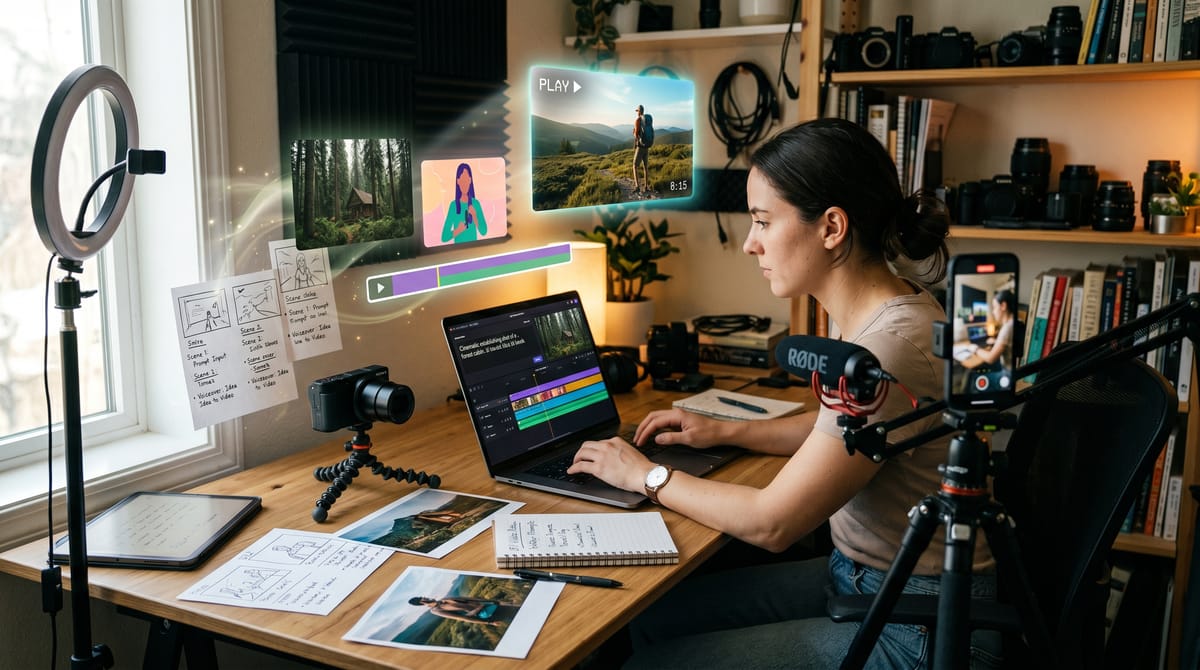
AI video creation is the process of turning prompts, scripts, voice ideas, and visual references into short videos with generative tools. It matters because creators can now produce, revise, and distribute content faster without building a full production team.
Key Takeaways
- AI video creation now sits inside mainstream creator workflows, not just experimental labs.
- According to Adobe Newsroom, 86% of creators use creative generative AI, and 52% use it to generate new assets like images and video.
- According to Futuresource Consulting, four in five creators use AI mainly for editing, ideation, or visual effects.
- Structured workflow matters more than tool hype, because the best results come from planning, voice, timing, and editing choices.
- Joy Nichole's course on TGD focuses on quick, practical video building with AI tools, voice integration, and marketing-friendly use cases.
Table of Contents
- Understanding AI Video Creation
- Key Concepts and Techniques
- Who Benefits from Learning AI Video Creation?
- What Do Students Say?
- Is This Course Worth It?
- About the Creator
- Essential AI Video Workflow Stages
- Watch Before You Enroll
- Frequently Asked Questions
- Conclusion
- Explore More on TGD
Understanding AI Video Creation
AI video creation combines generative models, editing tools, and story planning to turn an idea into a usable video faster. According to Adobe Newsroom, 86% of creators already use creative generative AI, and 52% use it to generate new assets like images and video. According to Futuresource Consulting, there were an estimated 246 million online video creators in 2025, rising toward 267 million by 2030, and four in five creators use AI in their workflow for editing, ideation, or visual effects. That shift matters because AI is no longer a novelty layer on top of production. It is becoming part of the production stack itself. Tools such as OpenAI Sora and Adobe Firefly with Runway show how prompts, storyboard choices, and short editable clips can fit together into a practical workflow. For creators, the real value is speed plus repeatability: you can draft, test, and refine content without rebuilding the process from scratch each time.
Want to Learn AI Video Creation Step by Step?
This course on The Great Discovery covers the fundamentals in a structured format, so you can turn the ideas above into a repeatable workflow.
The Great Discovery (TGD) is a global online course marketplace where creators publish courses and learners discover practical training across business, technology, wellness, and personal growth.
Key Concepts and Techniques
AI video creation works best when you treat it like a workflow, not a one-click trick. The most useful concepts are simple, repeatable, and easy to adapt for social posts, marketing clips, and personal projects.
Prompt-to-Video Planning
Strong video output starts with a clear prompt or script brief. If you define the goal, tone, audience, and length first, the AI has fewer chances to drift into generic output.
That planning step also helps when you want a series of videos instead of a one-off clip. A reusable prompt structure saves time and makes your results easier to compare.
Voice Integration and Brand Consistency
Voice is one of the fastest ways to make an AI video feel human and recognizable. Even when visuals are synthetic, a consistent voice style can anchor the message and keep the content recognizable across posts.
This is especially useful for creators who want to speak in their own voice without re-recording every asset. It also helps when you need a fast turnaround for marketing or social content.
Storyboard and Shot Spacing
Storyboard thinking keeps a video from becoming a random sequence of generated scenes. OpenAI notes that tighter spacing between storyboard cards can increase the chance of hard cuts, which is why spacing and pacing matter during planning.
In practical terms, the storyboard is where you decide what each segment should do. It is also where you reduce the chance of a video feeling rushed or visually noisy.
Short-Form Editing and Format Control
Most AI video tools now support short, editable outputs instead of long, fixed renders. Adobe Firefly, for example, supports 5-, 8-, or 10-second generations and defaults to 720p and 16:9 for common workflows.
That makes editing more manageable because you can generate, inspect, and revise smaller pieces before assembling the final version. Short clips are often enough for ads, intros, explainers, and social posts.
Iterative Testing and Reuse
Good AI video work usually improves through iteration. You test a version, observe where the pacing or framing fails, and then reuse the successful pieces in the next draft.
This is how creators build a library of prompt patterns, visual styles, and voice choices that become faster each time. The goal is not perfection on the first pass. The goal is a reliable production loop.
Who Benefits from Learning AI Video Creation?
AI video creation helps anyone who needs to turn ideas into visual content without a heavy production workflow. The best fit depends on how often you create, how fast you need to move, and whether you need a repeatable system or just occasional one-off videos.
Content Creators and Social Media Managers
If you post regularly, AI video tools can reduce the friction between idea and output. That matters when you need multiple versions of the same message for different channels or audiences.
Joy Nichole's course on TGD is a natural starting point here because it focuses on quick content building, voice integration, and marketing-friendly use cases.
Solo Founders and Small Businesses
Small teams often need video for launches, explainers, and brand visibility, but they do not always have a video editor on staff. AI can fill that gap by turning a script into something polished enough to publish quickly.
The course description fits this need well because it is oriented toward professional-looking output without complicated software.
Educators, Coaches, and Course Creators
Teaching content benefits from clarity, repetition, and speed. AI video can help transform lessons, announcements, and framework explanations into short clips that are easier to reuse.
If your content already lives in scripts or outlines, this topic gives you a practical way to turn that material into media instead of leaving it as text.
Beginners Who Want a Guided Starting Point
If you are new to AI tools, a structured walkthrough matters more than having access to many features. Beginners need sequencing: what to do first, what to edit next, and how to avoid common mistakes.
That is where a course like this can help most. It gives you a contained entry point instead of forcing you to assemble a workflow from scattered tutorials.
What Do Students Say?
This course is new to the marketplace and hasn't collected reviews yet. Check back after launch for student feedback.
Is This Course Worth It?
Yes, if you want a fast, structured introduction to AI video creation.
It is best for beginners, creators, and small teams that need a practical workflow for turning ideas into short videos. The course description points to AI video basics, voice integration, and quick content building, which makes it useful when speed matters.
It is not the best fit if you want deep cinematography theory, advanced post-production training, or a wide survey of every video platform. It also has limited creator signal so far, with no public reviews yet.
The strongest next step on TGD is when you want a simple path from concept to output, especially if you care more about execution than theory. In that case, this course looks like a reasonable place to start.
About the Creator
Joy Nichole created this course, and the public creator profile is still sparse. That means the course itself is the main signal available right now.
Courses created: 1. Total learners: 1. Average rating: 0.0.
No creator bio is available yet. View the creator profile here: Joy Nichole on The Great Discovery.
Essential AI Video Workflow Stages
AI video creation is easier to understand as a sequence of decisions. Each stage reduces ambiguity and makes the final edit more usable.
| Stage | What It Does | Why It Matters |
|---|---|---|
| Idea brief | Defines the goal, audience, and message before generation starts. | Prevents the AI from producing content that looks polished but misses the point. |
| Script or voice draft | Creates the words or narration that anchor the video. | Gives the video a clear structure and a consistent tone. |
| Storyboard | Breaks the video into scenes or cards before rendering. | Helps pacing, and OpenAI notes that tight storyboard spacing can create hard cuts. |
| Clip generation | Produces short visual segments from text or image prompts. | Keeps revisions manageable and makes it easier to compare versions. |
| Editing and trimming | Adjusts timing, transitions, and visual order after generation. | Turns raw AI output into something publishable. |
| Platform adaptation | Formats the final piece for social, marketing, or personal use. | Ensures the video fits where viewers will actually watch it. |
This workflow is the practical backbone of AI video creation. A course like Joy Nichole's is most useful when it shows you how to move through these stages without friction.

Master AI Video Creation with Expert Guidance
Joy Nichole's course covers the concepts above with a simple, structured path you can follow from planning to output. It is a practical next step if you want to turn AI video basics into a repeatable workflow.
Enroll in Master AI Video Creation: Pro Videos in 20 Minutes →
Watch Before You Enroll
Learn how to become an affiliate on The Great Discovery — the best affiliate program for course creators and marketers in 2026. Start earning commissions by sharing courses you believe in.
Frequently Asked Questions
What is AI video creation?
AI video creation is the process of using generative tools to turn prompts, scripts, or visual references into video content. According to Adobe Newsroom and Futuresource Consulting, this workflow is already common among creators who use AI for editing, ideation, and visual effects.
It matters because the workflow can save time while still leaving room for human choices about voice, pacing, and brand style.
How do AI video tools help creators work faster?
They reduce the time spent on early drafts, asset generation, and rough scene assembly. Adobe says many creators use multiple creative AI tools, which suggests that speed comes from combining tools rather than relying on one step alone.
The biggest gain is not just speed. It is the ability to test more ideas before committing to a final edit.
What should beginners focus on first?
Beginners should start with a clear goal, a short script, and a simple storyboard. OpenAI's guidance around Sora storyboards shows that spacing and sequencing affect the final cut, so planning matters before generation.
That approach reduces confusion and makes the tool easier to learn.
How do you keep AI videos on brand?
Brand consistency comes from repeating the same voice style, visual rules, and message structure. If you reuse the same prompt patterns and editing choices, your videos become easier to recognize across platforms.
Voice integration is especially useful because it gives AI content a more human and stable identity.
Are short AI videos useful for marketing?
Yes. Adobe Firefly's short-generation formats and the broader creator trend toward AI-assisted editing make short videos practical for ads, social posts, explainers, and launches.
Short clips are easier to test, easier to revise, and easier to distribute consistently.
Who is the TGD course best for?
It is best for people who want a structured introduction to AI video basics, voice integration, and quick content building. The course description suggests a practical orientation rather than a deep technical masterclass, which is helpful if you want usable momentum.
Because the creator profile is still early and there are no reviews yet, it makes sense most for learners who value a guided starting point.
Ready to Go Deeper?
You've learned the fundamentals of AI video creation: planning, voice, storyboarding, and short-form editing. This course turns that knowledge into a practical workflow you can apply quickly.
Start Learning AI Video Creation on TGD →
Conclusion
AI video creation has moved from novelty to mainstream workflow. The key ideas are simple: define the goal, plan the voice, storyboard the sequence, generate short clips, and refine the edit. According to Adobe Newsroom and Futuresource Consulting, creators are already using AI at scale, which makes workflow knowledge more valuable than tool hype. If you want a guided next step, Joy Nichole's course on TGD gives you a structured path into these basics and helps you build practical output faster. Master AI Video Creation: Pro Videos in 20 Minutes on The Great Discovery.
Explore More on TGD
If you want to keep learning, these internal TGD pages are the closest matches available from the current course data.
- Content Creator courses
- AI (Artificial Intelligence) courses
- TGD Success courses
- Web Development courses
- The Great Discovery homepage
- Joy Nichole creator page
Share Your Knowledge on The Great Discovery
Join Joy Nichole and hundreds of other creators sharing their expertise. Create and sell your own courses on TGD.