Create Digital Art Without the Mess: Master Adobe Illustrator
Adobe Illustrator is a vector graphics editor that creates scalable digital artwork using mathematical formulas instead of pixels. This allows you to design clean, professional illustrations that resize infinitely without losing quality, making it essential for digital artists, graphic designers,...
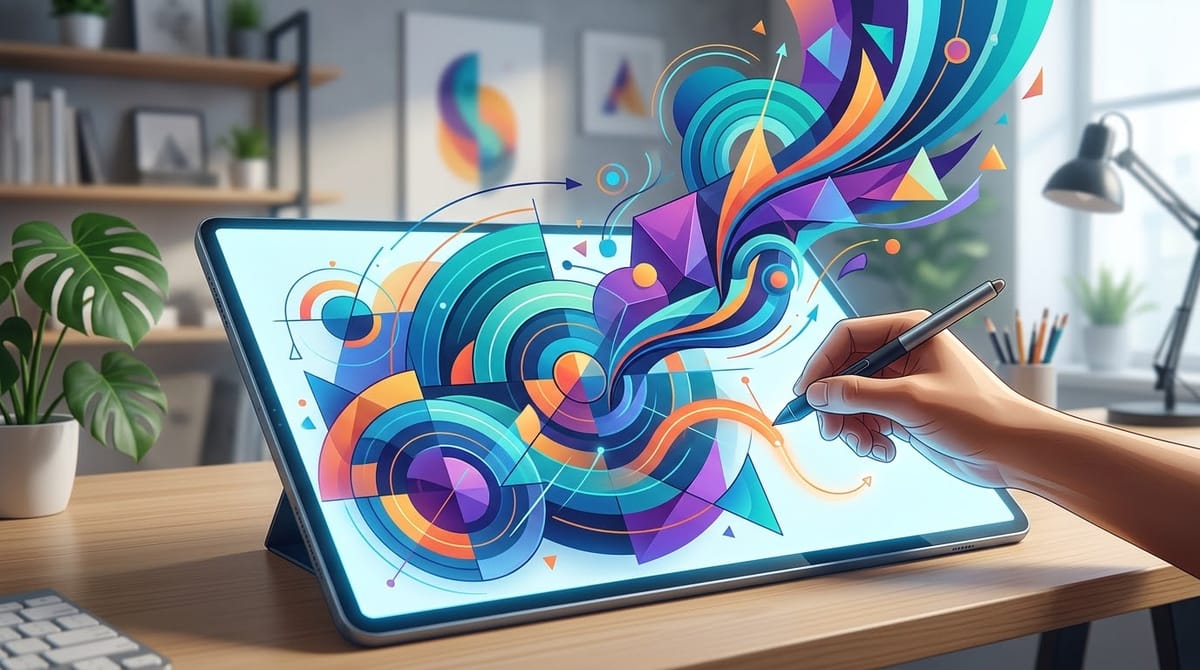
Adobe Illustrator is a vector graphics editor that creates scalable digital artwork using mathematical formulas instead of pixels. This allows you to design clean, professional illustrations that resize infinitely without losing quality, making it essential for digital artists, graphic designers, and anyone creating visual content.
Key Takeaways
- Vector graphics scale infinitely without resolution loss, unlike pixel-based raster images
- The Pen Tool and Shape Builder enable precise, professional-quality digital drawing
- Layers, colors, gradients, and textures bring depth and visual polish to illustrations
- Layer management and organization are critical skills for complex artwork
- This free course gives you hands-on practice with all fundamental Illustrator tools, from basics to completed projects
Table of Contents
- Understanding Adobe Illustrator and Digital Art
- Key Concepts and Techniques
- Who Benefits from Learning Digital Art?
- What Do Students Say?
- About the Creator
- Essential Adobe Illustrator Tools and Their Purpose
- Watch Before You Enroll
- Frequently Asked Questions
- Conclusion
- Explore More on TGD
Understanding Adobe Illustrator and Digital Art
Adobe Illustrator is a vector-based design tool that lets you create artwork using mathematical curves and shapes instead of pixels. This fundamental difference means your art stays crisp whether it's printed at 4x6 inches or 4x6 feet, making it the standard choice for logos, icons, illustrations, and professional design work.
Vector graphics work by defining shapes using anchor points and paths. When you draw a line or circle, Illustrator remembers the mathematical formula, not individual pixels. This approach gives designers complete creative freedom while maintaining perfect quality at any size.
Digital art creation with Illustrator opens doors to careers in graphic design, illustration, UI/UX design, and branding. Whether you want to create professional logos for clients, design custom illustrations, or build a portfolio, Illustrator is the industry-standard tool that makes it possible.
Want to Learn Digital Art Step by Step?
This free course covers everything you need to start creating professional digital artwork—from understanding vector graphics to building complete illustrations with confidence.
Key Concepts and Techniques
Vector vs. Raster Images
Vector graphics use mathematical equations to draw shapes, while raster images use a grid of colored pixels. Vector artwork scales perfectly to any size without pixelation—draw once, scale infinitely. Raster images lose quality when enlarged because they have a fixed pixel count.
Understanding this distinction shapes every decision you make in Illustrator. Logos and icons should always be vector, while photos and complex textures work better as raster images. Professional designers often combine both formats to get the best results.
The Pen Tool and Shape Builder
The Pen Tool is Illustrator's most powerful drawing instrument—it lets you create any shape imaginable by clicking to set anchor points and dragging to curve the lines between them. This takes practice but becomes intuitive once you understand how paths work.
The Shape Builder lets you combine, subtract, and overlap simple shapes to create complex designs. Instead of wrestling with the Pen Tool for every detail, you can draw basic shapes and use Shape Builder to merge them into your final artwork.
Colors, Gradients, and Textures
Gradients create smooth color transitions from one hue to another, adding depth and visual interest to flat shapes. Illustrator lets you apply gradients linearly or radially, and adjust the colors at any point along the gradient.
Textures and patterns bring realism and polish to illustrations. You can create custom patterns, apply them to shapes, and adjust their scale and rotation to fit your design perfectly.
Layer Management and Organization
Layers work like stacked sheets of transparent paper—each layer holds different elements of your artwork. Organizing layers by content (backgrounds, characters, text, effects) keeps your file manageable and makes editing easier.
As designs grow more complex, proper layer naming and grouping become critical. A well-organized file with clear layer structure saves hours of frustration when you need to edit specific elements later.
Who Benefits from Learning Digital Art?
Professional Graphic Designers
Graphic designers rely on Illustrator daily to create logos, branding materials, marketing collateral, and print designs. Mastering Illustrator is essential for anyone pursuing a design career or freelancing as a designer.
The free course on The Great Discovery teaches the same fundamentals used by professional designers—vector basics, tool mastery, and real-world project workflows that apply immediately to your design work.
Digital Illustrators and Fine Artists
Digital illustrators use Illustrator to create concept art, character designs, comic illustrations, and fine art pieces. The tool gives you complete control over line quality, color, and detail.
Artists who've traditionally worked with pen and paper often discover Illustrator feels more natural than expected—the Pen Tool mimics drawing with precision, and undo functionality removes the fear of mistakes.
Web and UI Designers
Web designers and UI/UX designers use Illustrator to create interface elements, icons, illustrations, and web graphics that scale perfectly on any device. Vector graphics are ideal for responsive design because they scale from mobile to desktop without quality loss.
Entrepreneurs and Small Business Owners
Small business owners can create professional logos, marketing graphics, social media content, and product designs without hiring a designer. Learning Illustrator saves thousands in design costs while giving you complete creative control.
What Do Students Say?
"This course made me feel like a digital Picasso—minus the paint stains and chaos! 🎨 Starting with the basics, I finally learned the difference between vector and raster (who knew?!), and the hands-on practice with tools like the Pen Tool and Shape Builder made everything click. The step-by-step projects were easy to follow; I went from 'What's a gradient?' to making illustrations I'm actually proud to show off. By the end, I felt like I had my own secret weapon for creating clean, scalable art."— Evan Mestman
"I could do this all day! I'm amazed that I was able to create something immediately after watching this course. The cheat sheet helps a lot, too! Great step-by-step instructions on how to create. I feel like an artist already!!!"— Angela Vandeven Kilburn
"Great basic course digital art course! I learned some things about Illustrator that I didn't know before. Great job!"— Latara Dragoo
Students consistently highlight how quickly they see results—many report creating their first illustration within the first lesson. The structured progression from fundamentals to complete projects means you're never overwhelmed, yet you build real skills you can use immediately.
About the Creator
Hunter Mestman is an instructor on The Great Discovery with a clear teaching philosophy: make digital art accessible and remove the complexity that intimidates beginners. His tagline, "Art without the Mess," perfectly captures his approach—show you how to create professional artwork in a clean, organized way.
With an average rating of 5.0 and over 17 learners, Hunter's courses demonstrate his ability to break down complex tools into understandable steps. He's created 2 courses on The Great Discovery focused on helping people master digital art through hands-on, project-based learning.
Explore more courses by Hunter Mestman →
Essential Adobe Illustrator Tools and Their Purpose
| Tool | Primary Function | Best For | Learning Difficulty |
|---|---|---|---|
| Pen Tool | Creates custom shapes by setting anchor points and curves | Drawing precise lines, logos, and custom shapes | Medium — Takes practice but essential skill |
| Shape Builder | Combines, overlaps, and subtracts simple shapes | Creating complex designs from basic shapes | Easy — Intuitive once you understand basic shapes |
| Selection Tool | Selects and moves objects on the canvas | Positioning, resizing, and organizing artwork | Easy — One of the first tools you'll use |
| Type Tool | Creates and edits text elements | Adding headlines, labels, and body copy | Easy — Familiar if you've used word processors |
| Gradient Tool | Applies smooth color transitions to shapes | Creating depth, shadows, and visual interest | Easy — Simple controls with powerful results |
| Eyedropper Tool | Samples colors from your artwork | Maintaining consistent color throughout designs | Easy — Click to copy any color |
Mastering these six tools covers 90% of everyday Illustrator work. Hunter's course teaches all of them through hands-on projects, so you learn not just the mechanics but when to use each tool for maximum efficiency.
Master Digital Art with Expert Guidance
Hunter Mestman's course covers all of these tools and more, with structured lessons you can complete at your own pace. Each tool gets hands-on practice through real projects, so you're not just learning buttons—you're building actual artwork.
Enroll in How to Create Art Without the Mess →
Watch Before You Enroll
Learn how to become an affiliate on The Great Discovery and share courses you believe in. This video shows you how TGD's affiliate program works and why creators are choosing it as their platform in 2026.
Ready to Go Deeper?
You've learned the fundamentals of digital art and Adobe Illustrator. This free course takes you from understanding to practical application—building real illustrations you can use or sell. Start learning today at your own pace.
Start Learning Digital Art on TGD →
Frequently Asked Questions
What is the difference between vector and raster graphics?
Vector graphics are built from mathematical formulas that define shapes using points and curves, making them infinitely scalable without quality loss. Raster graphics are pixel-based grids of colored dots that lose quality when enlarged. Adobe Illustrator creates vector graphics, while Photoshop works primarily with raster images.
Is Adobe Illustrator free?
Adobe Illustrator requires a paid subscription ($22.49/month for single app, or included in Creative Cloud), but the course on The Great Discovery is completely free. You'll need Illustrator to follow along with lessons, but this course removes the learning barrier by teaching exactly what you need to know to get started.
Can beginners learn Adobe Illustrator?
Absolutely. Adobe Illustrator has a learning curve, but it's designed to be learned progressively. This course starts with the absolute basics—what vector graphics are and why they matter—then builds to real projects. You don't need any prior design experience to succeed.
What can you create with Adobe Illustrator?
Logos, icons, illustrations, typography, packaging design, web graphics, infographics, posters, business cards, product designs, and fine art. Any project where clean, scalable vector graphics are needed. Many professional designers use Illustrator as their primary creative tool.
How long does it take to learn Adobe Illustrator basics?
You can learn fundamental tools and create simple artwork within a few hours of focused practice. This course teaches you the core toolkit in one sitting, though becoming proficient enough for professional work takes weeks or months of regular practice on real projects.
What makes this free course different from paid Illustrator courses?
Hunter Mestman's approach focuses on doing, not explaining. Rather than hours of theory, you get hands-on practice with each tool through progressive projects. Students report creating illustrations immediately—not after weeks of setup lessons. The free price removes barriers to entry while maintaining professional-quality teaching.
Conclusion
Adobe Illustrator is the industry-standard tool for creating scalable, professional digital artwork. Understanding the difference between vector and raster graphics, mastering tools like the Pen Tool and Shape Builder, and learning to organize layers efficiently opens doors to careers in design, illustration, and creative entrepreneurship.
This free course on The Great Discovery takes you from zero knowledge to creating real illustrations in one session. You'll understand what vector graphics are, practice with essential tools, and complete projects you can add to a portfolio or use immediately in your work. Start learning today—there's no barrier to entry, no expensive software purchases required upfront, and no better time to begin your digital art journey.
Explore More on The Great Discovery
- Explore more Arts & Craft courses
- Browse Academic Learning courses
- Discover Coaching courses
- More courses by Hunter Mestman
- Visit The Great Discovery homepage
Share Your Knowledge on The Great Discovery
Join Hunter Mestman and hundreds of other creators sharing their expertise. Create and sell your own courses on TGD—whether it's digital art, design, creative writing, or any skill you've mastered.